
MediPencil
Done in minutes.
From conversation to
clinical notes.
MediPencil is designed to reduce the time and effort spent on documentation, without changing how you work, so you can stay focused on patients without giving up control over clinical documentation.
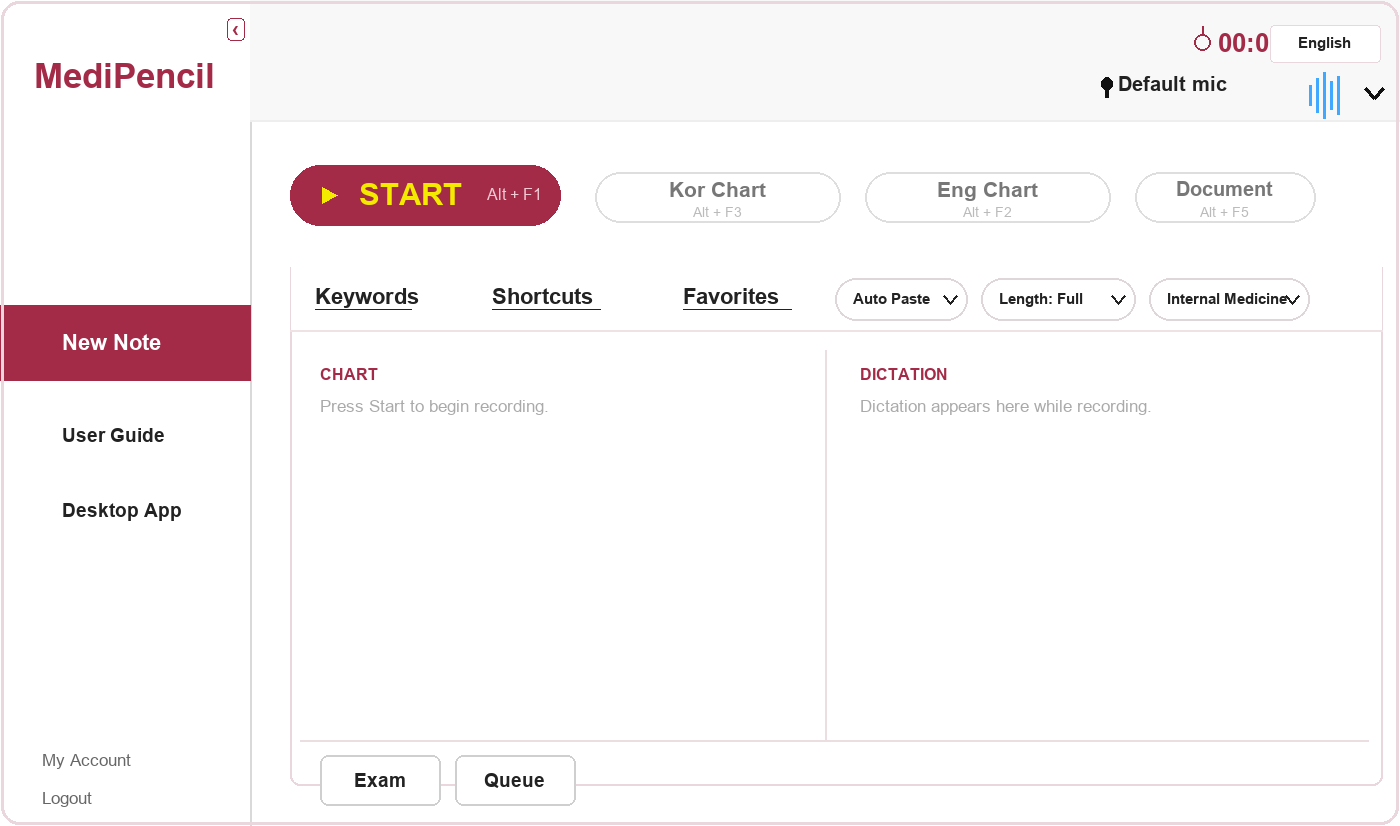
Shortcut Keys
Control functions like starting and stopping
recording with shortcut keys

Automatic Voice-to-Text
Advanced speech recognition automatically transcribes
recorded audio with high accuracy.


MediPencil Helps You
-
Focus on your patient
capture clinical consultations without missing any details
-
Document in detail
create structured medical records within minutes
-
Stay in control
review, edit and copy relevant content into the medical record
Simple, But Accurate
-
Step1
Start recording
Start recording at the beginning of the consultation by clicking record or keyboard shortcut -
Step2
Review summary
After consultation, review and edit the medical note generated by MediPencil -
Step3
Copy and complete
Copy and paste the final medical note to your EMR
Testimonials
Tested with clinicians
-
40%
less time on documentation
-
Under 20s
time it takes to generate a note
-
Clear
time savings observed
*Simulated testing environment, July 2026, Finland.
News
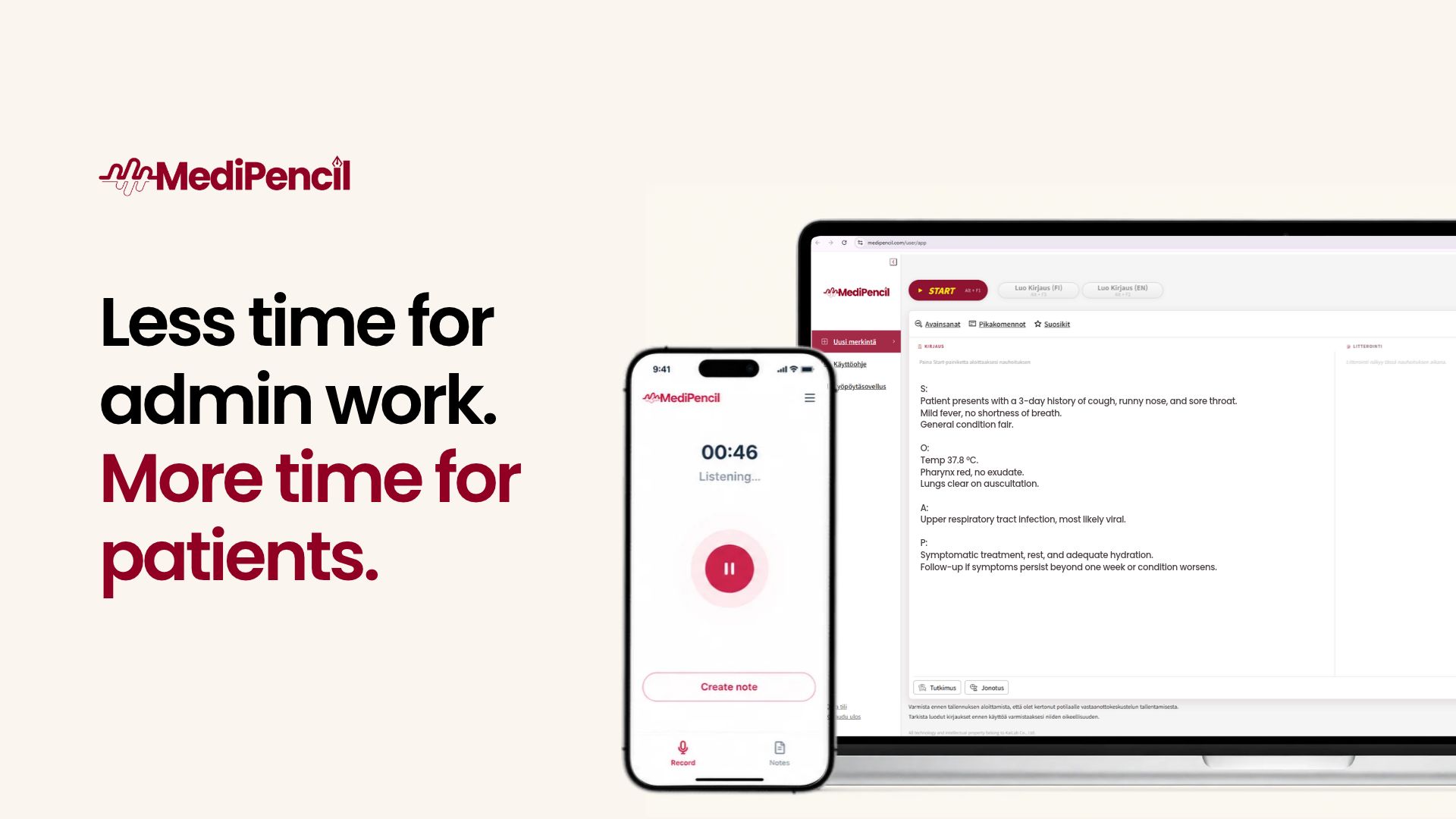
MediPencil is an AI-powered documentation tool that helps healthcare professionals create clinical note drafts based on patient consultations. Its goal is to reduce time spent on documentation and give healthcare professionals more time to focus on their patients.MediPencil listens to the consultation and generates a structured draft of the clinical note. You review and edit the draft before transferring the final text to your electronic medical record (EMR).How Does MediPencil Work?MediPencil uses the patient consultation to generate a structured clinical note draft organized into four sections:Subjective (S) – the patient's reported symptoms, concerns, and relevant historyObjective (O) – relevant observations, examination findings, and other objective information discussed during the consultationAssessment (A) – the clinician's assessment of the patient's conditionPlan (P) – the proposed treatment, further examinations, and follow-up stepsThis structure helps organize the key information from the consultation into a clear, consistent format that can be reviewed and completed before being transferred to the patient's medical record.AI-Assisted Documentation, with You in ControlMediPencil supports clinical documentation but does not replace professional clinical judgment. The text generated by AI is a draft and must always be reviewed before use.The conversation may not cover all the information required for a complete clinical note, and the draft may contain errors or omissions. Review the content carefully and add or correct information as needed before finalizing the documentation.You remain in control of the final note and are responsible for reviewing its accuracy and completeness.Easy to Get StartedMediPencil is designed to fit into your existing consultation workflow without complicated new steps.When you open the app, you'll find instructions explaining its different functions and how to use them. You can also refer to our detailed user guide: How to Use MediPencil.More Time to Focus on Your PatientsMediPencil helps make documentation more efficient, giving you more time to focus on patient care and less time spent writing clinical notes.Ready to try MediPencil?Start your free 3-day trial and discover how MediPencil reduces you daily workload.Start Your Free Trial HERE!
FAQ
A computer with a microphone and an internet connection. Create an account, sign in, and you can start your first recording in minutes.
No. MediPencil works with the built-in microphone on your laptop or desktop. For the best accuracy, especially in noisy rooms, we recommend an external microphone.
Internal Medicine, Family Medicine/General Practice, Pediatrics, Ophthalmology, Otorhinolaryngology (ENT), Dermatology, Plastic Surgery, Urology, Orthopedics, Radiology, Gynecology, Dentistry, Nursing and Counseling.
MediPencil currently supports English, Finnish and Korean. We are actively working to add more languages.